


PLC Plug-in Splitter
Your Leading PLC Plug-in Splitter Supplier
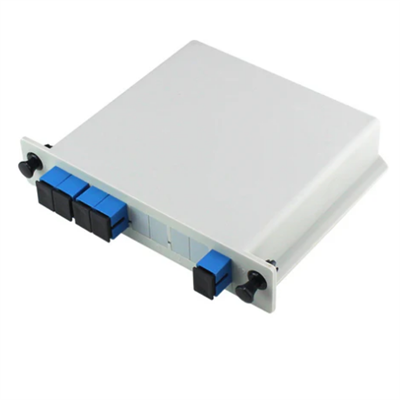
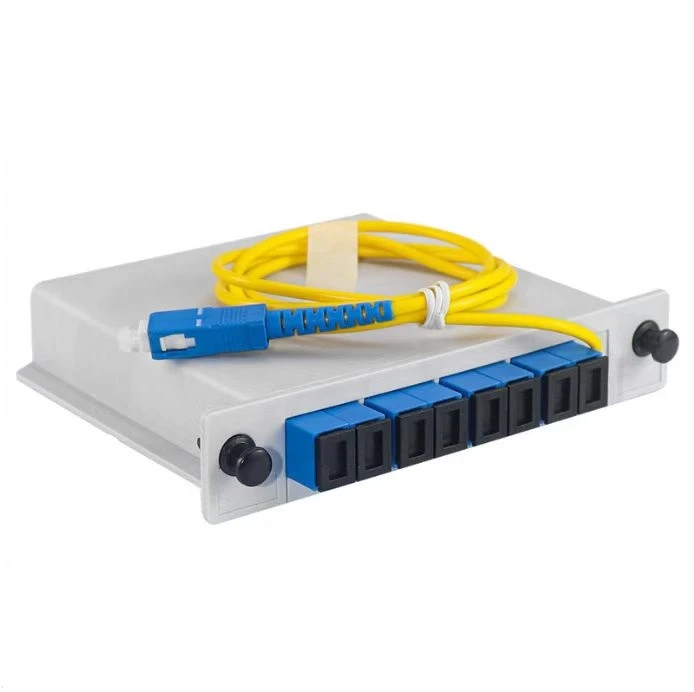
Ningbo Qimante Communication Technology Co., Ltd. is a Chinese fiber optic communication equipment manufacturer with 5 years of production experience. PLC plug-in splitters offer low insertion loss, high uniformity, and low polarization dependent loss, making them suitable for various applications. Our PLC plug-in splitter includes 1x8 SC UPC PLC plug-in splitter, 1x4 SC UPC PLC plug-in splitter, 1x16 SC UPC PLC plug-in splitter.


Why Choose Us?
Professional Team
Since its establishment in 2019, the company has a professional technical research and development team, as well as professional management and product testing personnel.
Advanced Equipment
The company currently has production equipment such as injection molding machines, automatic nut planting machines, sheet metal laser cutting machines, bending machines, automatic welding machines, PLC alignment machines, fiber optic testers, fiber optic grinders, etc.
Broad Market
The company's products are mainly exported to Southeast Asia, Europe, America, South America, the Middle East, Central Asia, Africa and other countries worldwide.
Types of PLC Plug-in Splitter
1x8 SC UPC PLC Plug-in Splitter
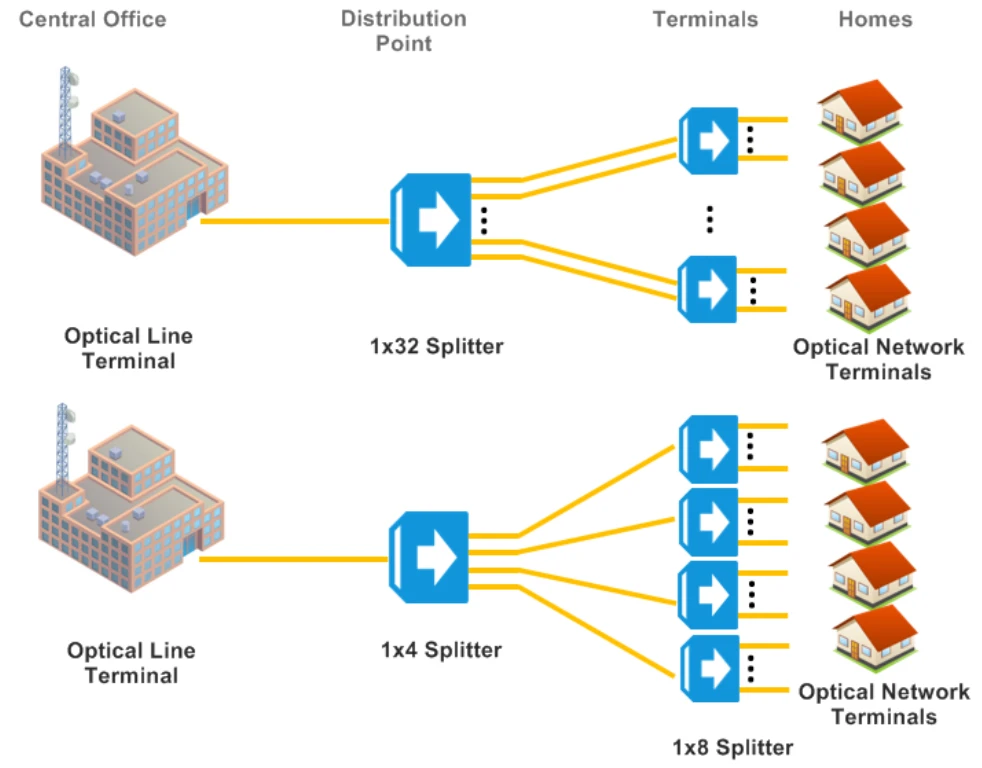
PLC splitter is one of the most important passive components in the optical fiber link. It is an optical fiber junction device with multiple input ends and multiple output ends. It is particularly suitable for connecting the central office and terminal equipment in passive optical networks (EPON, GPON, BPON, etc.) and realizing the splitting of optical signals.
1x4 SC UPC PLC Plug-in Splitter
Fiber optic splitters are devices used to realize the division and combination of light wave energy. They distribute the light energy transmitted in one optical fiber to two or more optical fibers according to a predetermined ratio, or combine the light energy transmitted in multiple optical fibers into one optical fiber.
1x16 SC UPC PLC Plug-in Splitter
This equipment is used as a user access point in the FTTX system that requires optical splitting. It is mainly used to terminate the optical cable entering the community or building. It has the functions of optical fiber fixing, stripping, splicing, patching, and branching.
Specifications of PLC Plug-in Splitter
|
Application: |
LAN, WAN & Metro Networks |
|
Telecommunication Networks |
|
|
Passive Optical Networks |
|
|
FTT(X)Systems |
|
|
CATV |
|
|
Value Added Module |
|
|
Configuration type: |
1*4 |
|
PLC Splitter type: |
Blockless PLC Plug-in Splitter |
|
Connector type: |
SC/UPC |
|
Operating bandwidth: |
1260~1650nm |
|
Typical insertion loss: |
≤ dB: 10.2 |
|
Insertion loss: |
≤dB: 10.7 |
|
Loss uniformity: |
≤dB: 0.4 |
|
Polarization dependent loss: |
≤dB: 0.2 |
|
Wavelength dependent loss: |
≤dB: 0.3 |
|
Return loss: |
≥dB: 50 |
|
Temperature dependent loss: |
≤dB: 0.5 |
Functions of PLC Plug-in Splitter
Compact structure and flexible installation
The PLC splitter has a good protection on the internal optical components and cables, and is simple in design and reliable in installation. In addition to providing reliable protection, the ABS box PLC splitter can also be installed in various cabling cabinet.
Uniform light splitting and good stability
The loss is not sensitive to the wavelength of the transmitted light. A single device has multiple channels, which can be more than 32 channels. For example, our PLC splitter has excellent optical performance, high stability and high reliability, which can meet various application requirements in different environments. Each splitter strictly follows the GR-1209, GR-1221 standards to ensure high reliability.
Wide application
It is very common to install a PLC optical splitter in a standard 19" rack unit. When the optical fiber branches into the home, it can be installed in the optical cable transfer box. It can be used in FTTH system, passive optical network etc.
Customization Options
Logo
Customizable
Color Box
Customizable
MOQ
Contact Us
Applications of PLC Plug-in Splitter
Installation Steps of PLC Plug-in Splitter
1. Insert the splitter into the desired position and push it straight back until the mounting brackets are flush against the mounting rails.
2. Secure the splitter with four #12-24 screws. Insert the two upper mounting screws first. Do not tighten the mounting screws until Step 3 has been completed.
3. Insert the two remaining screws into the bottom mounting holes and tighten as required. Tighten the two upper mounting screws to ensure the splitter shelf is secure.
4. Obtain an SC/UPC to SC/APC jumper cable of appropriate length. Connect SC/UPC (OLT side, blue connector) to the correct OLT PON port, then connect the SC/APC (splitter side, green connector) to the #1 port on the input side of the splitter. If PPG is in use, repeat for the secondary OLT laser connection.
a. Ensure that the key on the optical connector is oriented properly to mate with notch on the connector of the splitter.
b. Ensure that an audible click is heard when installing the cable to ensure the cable is properly seated.
c. Clean fibers prior to every installation of a fiber connector to ensure proper cleanliness is maintained in the fiber network.
d. Ensure that all unused fiber and splitter connectors are capped to keep connectors clean.
5. Obtain an SC/APC to SC/APC jumper cable of appropriate length. Connect one end to any output side connector of the splitter and then connect to the ONT.
6. It is important that the secondary PON fiber not be connected until after the PPG has been configured when using PON protection. Plugging both in without a PPG configured will cause both to transmit light and interfere which prevents the system from bringing up the ONTs properly.
Packing & Delivery

FAQ